FOR CONSULTANTS & ADVISERS
How does video marketing for consultants build trust?
Why video helps advisers win trust, which types of film work, where to use them and how to feel comfortable on camera.

LinkedIn's photo and banner requirements, plus straight advice on framing, expression, background and consistency for consultants.
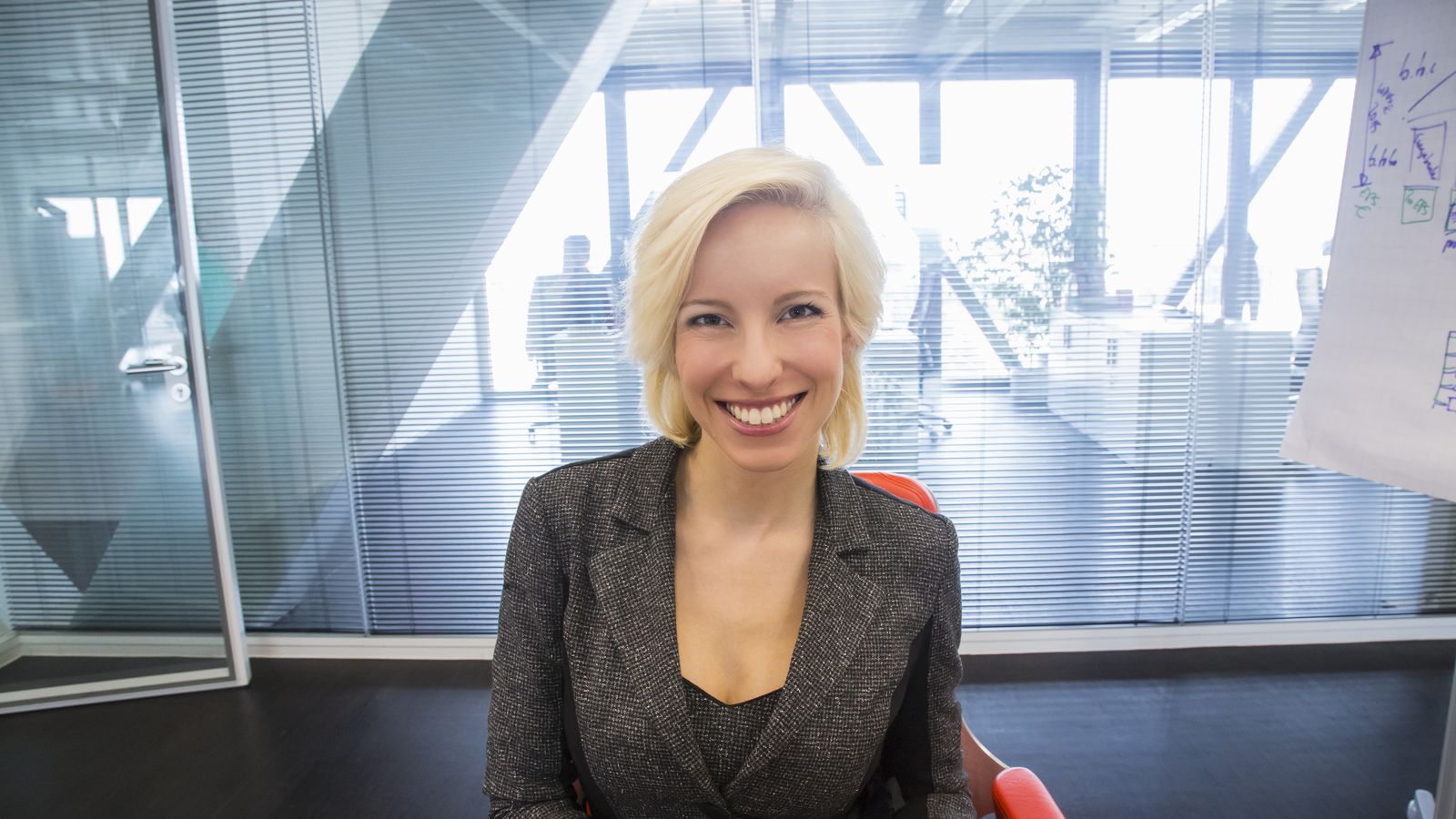
A good LinkedIn profile photo is a recent, sharp portrait of you alone. Your face should fill most of the frame, with a relaxed expression and a plain background. Use a PNG or JPG between 400 x 400 and 7680 x 4320 pixels, under 8MB. Pair it with a 1584 x 396 pixel banner that says what you do.
For most consultants, LinkedIn is where a potential client looks you up after a recommendation, a conversation or an event. Your LinkedIn profile photo is the smallest thing on the page, and it’s often the first thing people notice. It also sits beside every comment and message you send, and every connection request, usually at a tiny size.
So the small decisions count. How tightly are you cropped? Do you look at ease? Does the picture match the one on your website? Below we cover the technical requirements first, then the choices that make a photo work for a business audience.
LinkedIn’s help centre sets the limits. Its page on photo uploads says the file has to be a PNG or JPG of no more than 8MB, with a pixel size between 400 x 400 and 7680 x 4320. Animated GIFs won’t work, because LinkedIn says GIFs are not supported on profile or background photos.
There are content rules too. LinkedIn’s guidelines say your photo should reflect your likeness. Images made up only of a company logo may be removed, and so may images showing emojis, landscapes, animals, words, flags or other people (stock photos included). For a consultant, the upshot is simple. Use a picture of yourself.
| Item | What LinkedIn Help says |
|---|---|
| Profile photo file type | PNG or JPG |
| Profile photo size | 400 x 400 to 7680 x 4320 pixels, maximum 8MB |
| Banner (background) file type | JPG or PNG |
| Banner recommended size | 1584 x 396 pixels, under 8MB |
| Animated GIFs | Not supported on profile or background photos |
LinkedIn shows your photo in a circle, and in most places it’s tiny. Frame it so your head and the top of your shoulders fill most of the space. Stand too far back and your face shrinks to a dot in the feed. Your expression disappears with it, and your expression is the whole point.
Aim to look like the person a client would meet on a good day. You want to come across as relaxed and attentive, and credible. A natural smile with your eyes on the camera and a slight tilt of the head is often all it takes. If you advise in a formal field like finance or law, dress the way you would for a first client meeting. If your work is creative or people-focused, you can loosen up a bit, as long as you still look tidy.
Skip the sunglasses and heavy filters. Don’t use a group photo cropped down to you, or anything where part of your face is hidden. Wear solid colours that suit you, and keep jewellery and patterns simple so nothing fights with your face for attention.
A plain, softly blurred background is the safest bet. A studio wall works, as does a tidy office or a quiet spot outdoors. These keep the attention on you and sit well against LinkedIn’s white and grey. A background with some context, like a workspace or a carefully chosen location, can add personality, provided it doesn’t pull the eye away from your face.
Colour counts more than you’d think at small sizes. A mid-tone or darker background usually lifts you clearly off the page. If your brand has a signature colour, a subtle nod to it can link the photo to your website without looking staged.
The banner is the wide background image behind your photo. LinkedIn’s help page recommends 1584 x 396 pixels, as a JPG or PNG under 8MB, and warns that the way it displays can change with browser window size and screen resolution. It also suggests photos generally look better than images with logos, and recommends a bigger file if yours comes out blurry.
For a consultant, that adds up to a few sensible rules:
Clients hardly ever look at just one page. They might see your LinkedIn profile, then your website, then a proposal. When your face and colours and tone line up across all three, you come across as established and deliberate. If the photos don’t match, or one of them looks ten years old, you plant a small doubt at exactly the moment you want them feeling confident about you.
The easiest fix is to get all your photos from one session and use matching crops everywhere. Keep your name, job title and colours consistent too. That’s part of building a consultant brand people recognise. Our guide to marketing for consultants shows where your profile fits with the rest of your marketing.
You get to choose. LinkedIn’s settings page lists options including 1st-degree connections only, your network, all LinkedIn members and anyone, and it says the default is Anyone/Everyone. If you’re a consultant who wants people outside your network to find and trust you, leaving it visible to everyone is usually the right call.
We can shoot a matched set of portraits plus a working image that suits your banner, so your LinkedIn profile and your website tell the same story as your proposals. Have a look at our photography for consultants page, or get in touch for a chat. We agree a clear brief, scope and fee with you before any work begins.
According to LinkedIn’s help centre, it must be a PNG or JPG no bigger than 8MB, between 400 x 400 and 7680 x 4320 pixels. A square image of at least 400 x 400 pixels is the safe option, since LinkedIn shows the photo in a circle and you can adjust it after uploading.
Not on a personal profile. LinkedIn’s guidelines say your photo should reflect your likeness, and images made up only of company logos may be removed. Put your logo on your company page. Use a portrait on your own profile so clients can see who they’re dealing with.
LinkedIn recommends 1584 x 396 pixels, as a JPG or PNG under 8MB. The display changes with screen size and your profile photo covers the lower left, so keep important text and faces away from the edges. Check the result on a phone and on a computer.
Change it once it stops looking like you. For many people that’s every two to three years. Update your website and anywhere else that uses the same portrait at the same time, so your professional image stays consistent wherever clients look.
A selfie will do as a stopgap. It rarely gets you the lighting and framing a business audience expects, though, or the right expression. A photographer can direct your pose and control the light, then hand over a matched set for LinkedIn and your website. For a profile clients check before they hire you, that’s money well spent.
Why video helps advisers win trust, which types of film work, where to use them and how to feel comfortable on camera.
What thought leadership is for consultants, how to find a point of view, which formats suit you and how to prove your expertise.
How independent consultants can rank for the services and problems they solve, using topic pages, genuine expertise signals and earned links.
Four quick questions, and we’ll show you where we’d start. Your answers come straight to us with your message, so you won’t have to explain it twice.
A 30-minute introduction call on Microsoft Teams, Monday to Friday, 9am to 5pm. Your answers come with the booking, so we’ll be ready for you.
Prefer to talk it through? Make an appointment for a 30-minute call on Microsoft Teams, Monday to Friday, 9am to 5pm.
A closer look at the work behind each part of your plan.
We use analytics cookies to understand how visitors use our site. They are only set if you accept. Read our privacy policy.