FOR CONSULTANTS & ADVISERS
How does video marketing for consultants build trust?
Why video helps advisers win trust, which types of film work, where to use them and how to feel comfortable on camera.

How consultants can go beyond headshots with working shots, workshop photography and a planned image library, including consent for client meetings.

Personal branding photography is a planned set of images showing how you work as well as how you look. For consultants it usually mixes portraits with working shots, workshop or speaking photos and context images from your office or client sites. One well-organised shoot can supply your website and proposals, plus LinkedIn, for a couple of years.
A single headshot tells people who you are. It doesn’t tell them what working with you is like. Prospective clients want evidence of that, such as how you run a room and how you listen, or what a day with you looks like. Photography is one of the fastest ways to show it. If you’d like the shoot planned around your work, have a look at our photography for consultants service.
This article goes beyond the portrait. It’s for independent consultants and advisers in the UK, and for small consultancies, who want personal branding photography that adds up to a usable image library. One nice photo isn’t enough.
It’s a commissioned set of photographs built around your business. You don’t get one posed image. You get a range: formal portraits and relaxed ones, candid shots of you working, pictures of you in front of a group, and detail images (notebooks, whiteboards, laptops) that give your pages some texture.
What sets it apart is intent. A good set is planned around where the pictures will be used, the same way a good website is planned around what clients need to know. If you’re still working out what makes you distinctive, our guide to personal branding for consultants is a good companion read.
These anchor everything. Get one or two formal, one or two relaxed and a tight crop for small spaces. They’ll go on your about page and speaker profiles, plus any author box.
You at a desk or reviewing a document. You on a call, or at a whiteboard. The point isn’t to look busy. These pictures help a reader imagine the engagement, so pick scenes that reflect your real work, whether that’s analysing or coaching, advising or presenting findings.
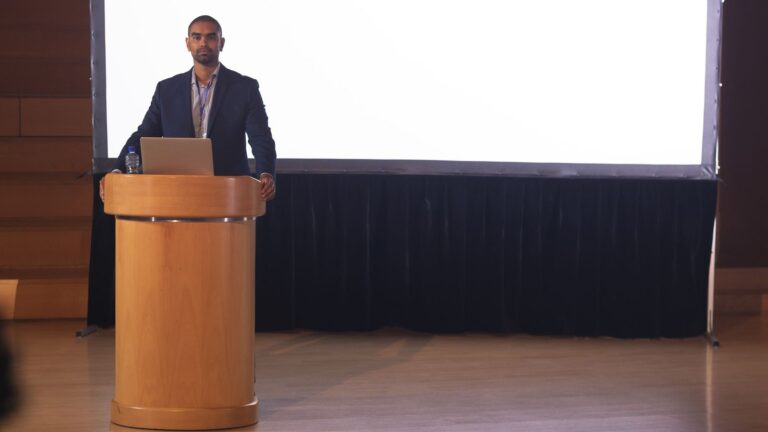
If you run training days or facilitated sessions, or give conference talks, ask for photographs of them. A wide shot of an engaged room is strong evidence that you lead groups well. A close shot of you mid-sentence works on event pages and LinkedIn posts. LinkedIn also asks that your profile photo reflects your likeness, so keep the portrait you use there up to date.
Pictures of you with a client, round a table or on site, show the relationship side of what you do. They need extra care over permission, which we cover below.
Hands on a keyboard. Notes. A coffee cup on a meeting table. Used sparingly, these give designers something to put behind headings and into proposals, so nobody has to reach for generic stock images.
Clients and delegates aren’t props. Ask permission before anyone is photographed, and be clear about where the images might appear. The ICO explains that consent is only valid if it’s freely given, specific, informed and unambiguous, shown by a clear affirmative action. Silence doesn’t count, and neither do pre-ticked boxes. It also says people must be able to withdraw consent, and that withdrawing should be as easy as giving it.
Day to day, that comes down to a few simple habits:
Rules change and everyone’s circumstances differ, so treat this as general guidance and not legal advice. If you’re unsure, check the ICO’s guidance or talk to a specialist.
Pick locations that look like real parts of your working life. Pretty backdrops alone won’t do. A mix of two or three usually works better than one:
Our photographers travel to clients all over the UK, so the shoot can happen where your work happens.
A library is only useful if you can find things in it. Build in variety and order from the start:
Match each image to the job it has to do. On your website, put a confident portrait and a workshop shot on the about page and working images on the service pages, and you can drop the stock photography altogether. Our website design for consultants page explains how to organise a site around that kind of evidence.
Put a small portrait and one working image in a proposal and the document feels as if a person wrote it, where a template would feel faceless. On LinkedIn, use your portrait as your profile photo and a working or speaking image as your banner. Then dip into the library for posts. A real photograph of a session usually beats a graphic, because it shows what actually happened.
Pair all this with a clear plan for the rest of your marketing. Our overview of marketing for consultants shows how photography fits in with your website and social media, and with advertising.
Refresh your portraits every two to three years, or sooner if you change how you look or how you work in a big way. Working and workshop images age differently. They can last longer in a neutral setting, but replace them when your services or team change, or when your branding does. Lots of consultants book a smaller shoot each year, tied to a workshop or event, which keeps the library current without the cost and time of a full session every time.
We can plan and shoot a complete personal branding photography for consultants package. It covers portraits and working shots, plus workshop or speaking coverage, supplied in sizes to suit your website and your proposals, as well as LinkedIn. We’ll help you put a shot list together, including how to ask clients and delegates for permission. We agree a clear brief, scope and fee with you before any work begins.
A headshot is a single portrait. Personal branding photography is a wider set, usually portraits plus working shots and workshop or speaking images, with some detail pictures too. It shows how you work and what clients can expect on top of what you look like, so one set can support your website and LinkedIn as well as your proposals.
Yes. Ask the client beforehand and agree how the images will be used. Give anyone else in the room the chance to opt out. The ICO says valid consent has to be freely given and specific. It also has to be informed and unambiguous, and easy to withdraw. Keep a written record of what was agreed.
That depends on where they’ll be used, so start from a shot list and not from a number. Most consultants need a handful of portraits and several working images. Add a few from a workshop or talk, each in more than one crop. Your photographer can advise once they know your pages and plans.
That depends on the terms you agree with your photographer, so settle usage in the brief before the shoot. Most consultants want to use their images on their website and social media. They usually want them in proposals and presentations too. Write down exactly where and for how long, and there’ll be no surprises later.
Stock can plug a gap, but it can’t show your face or your room, let alone your clients. Visitors often spot generic images, and they add nothing to your credibility. A small library of real photographs, used consistently, usually does more for trust than a big collection of stock.
Why video helps advisers win trust, which types of film work, where to use them and how to feel comfortable on camera.
What thought leadership is for consultants, how to find a point of view, which formats suit you and how to prove your expertise.
How independent consultants can rank for the services and problems they solve, using topic pages, genuine expertise signals and earned links.
Four quick questions, and we’ll show you where we’d start. Your answers come straight to us with your message, so you won’t have to explain it twice.
A 30-minute introduction call on Microsoft Teams, Monday to Friday, 9am to 5pm. Your answers come with the booking, so we’ll be ready for you.
Prefer to talk it through? Make an appointment for a 30-minute call on Microsoft Teams, Monday to Friday, 9am to 5pm.
A closer look at the work behind each part of your plan.
We use analytics cookies to understand how visitors use our site. They are only set if you accept. Read our privacy policy.