FOR PODCASTERS
How to light a video podcast set
A practical UK guide to video podcast lighting: key, fill and practical lights, two-person desks, backgrounds, flicker under 50 Hz mains and a look that stays…

How to plan podcast guest photos into recording day in the UK: the shots to get, a five-minute portrait set-up, consent, remote guests and fast delivery.
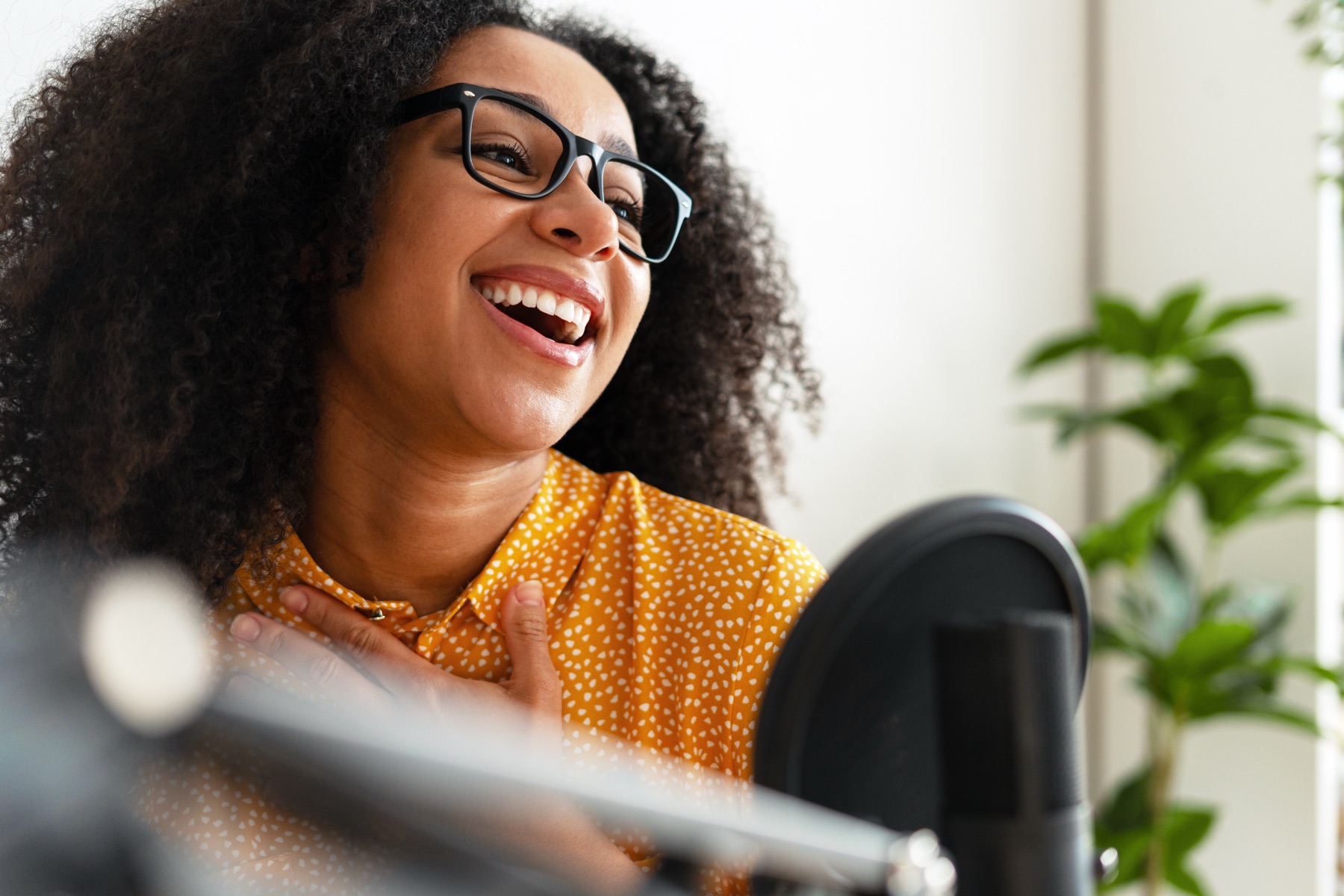
To get great podcast guest photos, plan them into recording day rather than leaving them to chance. Tell the guest in advance, set up a simple portrait spot near the set, take five minutes for a few portraits before you record, and photograph them naturally while the conversation flows. Then deliver a small edited set quickly, in square and landscape, so you can announce the episode and your guest can share it with pride.
Imagine the morning an episode goes out. Your announcement shows your guest mid-laugh, leaning into the microphone, looking like the best version of themselves. An hour later they have shared it to their own followers with a note about how much they enjoyed the conversation, and their audience starts finding your show.
That is the quiet power of guest photography. A generous photo is a thank-you that keeps working. It makes every guest feel looked after, and it gives them a reason to share an episode they might otherwise have mentioned once and forgotten. Here is how to make it a normal part of your recording day.
Most guests are happy to promote their episode, but many will only share something that makes them look good. A blurry screenshot from a video call or a cropped corporate headshot rarely gets more than a polite repost. A warm, well-lit portrait taken in your studio is something they will use for months, and every time they do, your show’s name travels with it.
Good guest images also make your own feed better. They give each episode a distinct face, which helps returning listeners spot new releases, and they show prospective guests that appearing on your show will be a pleasant, professional experience.
Choose a corner of the room that you can leave ready all day, close to the recording desk so guests do not feel they are being taken away for a photoshoot. A soft light to one side, a darker background with a little depth, such as shelves or a lamp, and a stool at a comfortable height are all you need. Mark the stool’s position so every guest is framed the same way. If your own podcast host photos are taken in the same corner, host and guest images will sit together naturally.
That consistency matters. When every guest is photographed in the same light and setting, the season looks like a series rather than a collection of borrowed headshots. Take portraits before recording while guests are fresh, or straight afterwards when they are relaxed and buzzing from the conversation. Both work: before is usually tidier, after is usually warmer.
The conversation always comes first. A photographer working during a recording needs to be invisible and silent:
If you film your show, agree with the video team where the photographer can stand without appearing in shot. A shared plan for the room makes everybody’s job easier, which is why our photography for podcasters is planned around your recording schedule and guest times.
Tell them before they arrive. If someone can be recognised in a photograph, the ICO says it is usually considered their personal data. Its advice was written for schools, but the principles carry over well: let people know in advance when photographs will be taken and how they will be used, and where possible give them the chance to opt out. The ICO also notes that offering an opt-out does not by itself mean you are relying on consent.
In practice, add a short line to your guest booking email or agreement: who will be photographing, where the images will appear, that they will receive copies, and who to tell if they would rather not be photographed. It reassures guests and avoids awkward conversations later.
Ask them for two or three recent portraits, ideally one square and one landscape, and ask who took them. In the UK, copyright usually stays with the photographer unless it is agreed otherwise in writing, so a guest’s favourite headshot may not be theirs to hand on. A quick check that they are allowed to share it for promotion protects you both.
If you film remote guests, a clean still taken from their video can work for social posts, provided they have good light and a tidy background. Sending a simple set-up note before the recording, covering light, camera height and background, improves both the video and the stills.
Our guide to podcast episode artwork covers building a season template that guest portraits can drop straight into.
Ideally a first selection within a day or two of recording, and certainly before the episode goes out. Guests are most enthusiastic just after the conversation and on release day. If the photos arrive weeks later, the moment has often passed. Agree turnaround times when you book the photographer, and keep a consistent edit so every guest’s images match the season. Our page on marketing for podcasters shows how guest photos fit alongside clips, artwork and the release plan.
We want your guests to leave feeling looked after, and to share their episode because they love how they look in it. Our team began by looking after co-founder Jack Cartwright, the bestselling author, handling his photos, films and design so he could concentrate on writing. Now our photography for podcasters covers guest portraits, recording days and fast, consistent edits that fit your season. A clear brief, scope and fee are agreed before any creative work begins.
A short written agreement is sensible. It should say where the images will be used, that the guest will receive copies and how they can raise concerns. The ICO advises telling people in advance and giving them a chance to opt out where possible. For paid advertising using a guest’s image, get clear, specific agreement first.
With a portrait spot set up and lit before the guest arrives, five minutes is usually enough for a strong set of images. The time goes into making the guest comfortable rather than adjusting lights. Natural photos during the recording add no time at all, because the photographer works quietly around the conversation.
You can, if they have permission to share it with you for promotion. The drawback is consistency: a season of different headshots in different styles looks like a list rather than a series. Photographing guests in your own space, in the same light, makes each episode feel part of your show.
Some of them, yes. A two-shot of host and guest across the desk tells people it is a conversation, and it reminds the guest’s audience whose show they were on. Keep solo portraits of the guest too, because those are the images they are most likely to use on their own profiles.
High-resolution JPGs in square, landscape and vertical crops cover most needs: episode artwork, social posts, stories and your website. Name the files with the guest and episode so they are easy to find later. Send the guest a smaller web-ready set they can post straight from their phone.
A practical UK guide to video podcast lighting: key, fill and practical lights, two-person desks, backgrounds, flicker under 50 Hz mains and a look that stays…
How to promote a podcast on Instagram in the UK: Reels from every episode, Stories on release day, guest collabs, trial reels and posting between seasons.
How to write podcast show notes that persuade people to press play and help episodes get found in search, with a simple template, timestamps and transcripts.
Four quick questions, and we’ll show you where we’d start. Your answers come straight to us with your message, so you won’t have to explain it twice.
A 30-minute introduction call on Microsoft Teams, Monday to Friday, 9am to 5pm. Your answers come with the booking, so we’ll be ready for you.
Prefer to talk it through? Make an appointment for a 30-minute call on Microsoft Teams, Monday to Friday, 9am to 5pm.
A closer look at the work behind each part of your plan.
We use analytics cookies to understand how visitors use our site. They are only set if you accept. Read our privacy policy.