FOR PODCASTERS
How to light a video podcast set
A practical UK guide to video podcast lighting: key, fill and practical lights, two-person desks, backgrounds, flicker under 50 Hz mains and a look that stays…

How to film a video podcast in the UK: sound, cameras, lighting, set design and export settings for YouTube, Spotify and Apple Podcasts, in the right order.
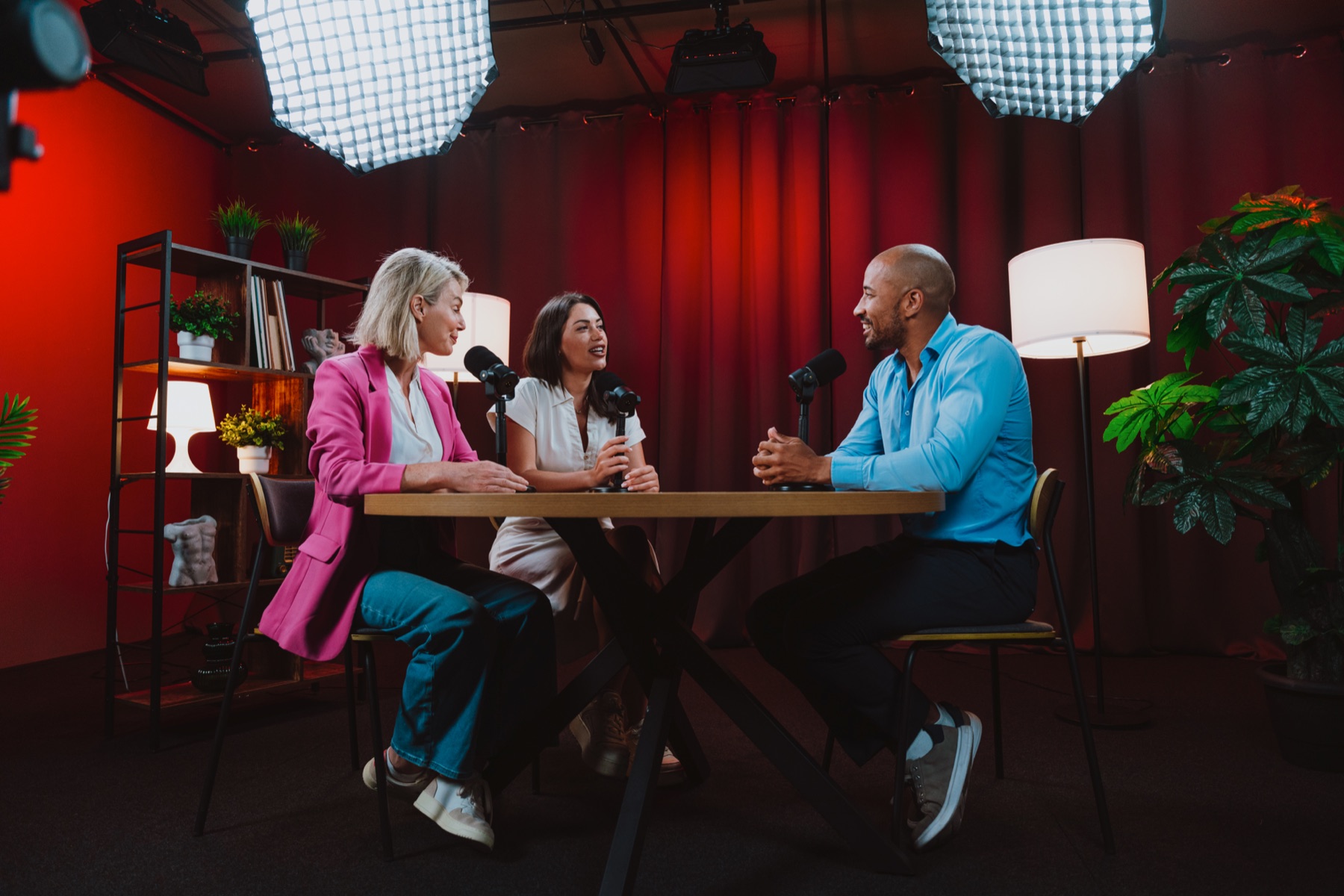
To film a video podcast well, get the audio right first, then light the room, then add cameras. Use one microphone per person, record a separate track for each, and treat the room so it doesn’t echo. Film at 1080p or higher in 16:9 with a wide shot plus a close-up of each speaker, keep the frame rate consistent, and design a simple branded set. Export full episodes for YouTube and Spotify, and plan vertical clips before you press record.
Imagine pressing record and knowing, without checking, that it will look like a show. The lights are where they should be, every camera is framed, the sound is clean, and all you need to think about is the person across the desk. A week later the episode is on YouTube and Spotify, and the comments are about the conversation, not the picture.
Getting there doesn’t need a broadcast studio. Many first attempts look like a video call that happened to be recorded, and the fix is a few decisions made in the right order. This guide walks through them, whether you’re an independent podcaster or a business owner filming a show to build your profile.
For most shows that want to grow, yes. Ofcom found that 68% of UK podcast listeners say they listen to podcasts that also have video, and 44% find podcasts with video more engaging. Video also gives you clips for social media, which give people who have never heard of you an easy way in.
The honest trade-off is effort. Filming adds set-up time, editing time and storage. If your show is deeply personal, recorded remotely with guests around the world or made on a tight schedule, an audio-first show with good clips filmed separately may be the better choice. A poorly filmed show can do more harm than an audio-only one, because viewers notice quickly.
Three platforms matter most for UK shows:
Because all three favour widescreen, plan your main shot in 16:9 and treat vertical clips as a second output. If you are still deciding where the show should live, our guide to putting your podcast on YouTube weighs it up.
Everything. People will forgive slightly soft footage. They won’t sit through echo, hiss or one voice much louder than the other. Before you buy a camera, sort out the audio:
Microphones also appear in shot, so choose ones you’re happy to see on screen and keep them from covering faces.
The classic set-up for a two-person show is three angles:
| Camera | What it shows | Why it matters |
|---|---|---|
| Wide | Both people and the set | Establishes the room and covers any moment the close-ups miss |
| Close-up, host | Head and shoulders of the host | Lets the edit cut to whoever is speaking |
| Close-up, guest | Head and shoulders of the guest | The best source of reactions and short clips |
You can start with one camera on a wide shot, but cutting between angles is what makes an hour of conversation watchable. Position close-up cameras slightly off to the side, at eye level, so each person appears to be looking at the other rather than at the lens.
Lighting is what separates a professional-looking show from a home recording. A simple approach works for most rooms:
Warm, moody lighting with darker backgrounds tends to look more considered on camera than a bright, evenly lit room, and it hides a lot about the space. Our guide to video podcast lighting goes into the detail.
Your set is part of your brand. Viewers will see it in every thumbnail and every clip, so it should feel like the show. Think about colour, a few objects that say something about the host or subject, and where your logo or show name appears, if anywhere. Keep it consistent from episode to episode so the show is instantly recognisable.
Good graphic design for podcasters ties the set, cover art, thumbnails and clip captions together. If the podcast supports a business, the set should also look like the rest of your personal brand.
Editing a multi-camera podcast means syncing the cameras to the audio, cutting between speakers, tidying the start and end, and adding a short branded intro and lower-third name captions. Keep edits restrained: the conversation is the content.
For export, follow each platform’s guidance. Spotify recommends H.264 or H.265 video, AAC-LC, PCM or FLAC audio, and an MP4 file. YouTube recommends MP4 with AAC-LC audio at 48 kHz and, for a 1080p upload at 24 to 30 frames per second, a video bitrate of 8 Mbps. A single master file at those settings will suit both.
Many shows start with a simple self-run set-up and that is a perfectly good way to learn what you need. Bringing in a crew makes sense when you want a step change in quality, when you’re recording several episodes in a day, or when your time as host is better spent preparing guests than adjusting cameras.
A practical middle route is to have a videographer design and set up the studio, light it and film a batch of episodes, then hand over a set-up you can repeat yourself. That is often where our videography for podcasters starts. A filming day is also a good moment for host and guest photography, and our page on marketing for podcasters shows how the footage can feed clips, artwork and ads.
There is a particular calm in knowing the set, the light and the sound are handled before your guest sits down. We grew out of co-founder Jack Cartwright’s in-house team, filming and designing the videos behind his books, and our videographer Callum now brings that care to podcast sets. Through our videography for podcasters, we plan, light, film and edit your episodes and clips, and can photograph the day too. A clear brief, scope and fee are agreed before any creative work begins.
Film in at least 1080p, which Spotify recommends as a minimum, and in 16:9 for the main episode. Recording the close-up cameras in 4K gives you room to crop vertical clips without losing too much quality, though it needs more storage and a faster computer to edit.
Yes, for a simple solo show or for clips. Use a stable mount, an external microphone, good light and the rear camera. For a two-person conversation that you want to look polished, separate cameras and microphones for each speaker make editing far easier and the result more professional.
No. A quiet room with soft furnishings, controlled light and a considered background can look excellent. Hiring a studio makes sense when your home or office is noisy, echoey or hard to light, or when you want a distinctive look without building a set yourself.
Use a remote recording platform that captures each person’s audio and video locally and uploads it in high quality, rather than recording the call itself. Send your guest simple guidance in advance on light, camera height, headphones and background so their picture matches yours as closely as possible.
Yes. Plenty of people still listen on the move and many apps play audio only. Most hosts publish the same episode as audio through their RSS feed and as video on YouTube and Spotify, so listeners can choose. Make sure the audio version makes sense without the pictures.
A practical UK guide to video podcast lighting: key, fill and practical lights, two-person desks, backgrounds, flicker under 50 Hz mains and a look that stays…
How to promote a podcast on Instagram in the UK: Reels from every episode, Stories on release day, guest collabs, trial reels and posting between seasons.
How to write podcast show notes that persuade people to press play and help episodes get found in search, with a simple template, timestamps and transcripts.
Four quick questions, and we’ll show you where we’d start. Your answers come straight to us with your message, so you won’t have to explain it twice.
A 30-minute introduction call on Microsoft Teams, Monday to Friday, 9am to 5pm. Your answers come with the booking, so we’ll be ready for you.
Prefer to talk it through? Make an appointment for a 30-minute call on Microsoft Teams, Monday to Friday, 9am to 5pm.
A closer look at the work behind each part of your plan.
We use analytics cookies to understand how visitors use our site. They are only set if you accept. Read our privacy policy.